Did you know that Oregon School District has a list of teacher-select websites that kids can use to learn? We call it Great Links, and the address is http://db.oregon.k12.wi.us/links/.
It is arranged by category, so you can look for sites based on content areas or skills. They span a wide variety of topics, including copyright-free pictures, keyboarding lessons, world languages, and fun educational games. Give it a try the next time your kids want to play something on the computer, or are looking for a good resource for a project.
Wednesday, December 5, 2012
Monday, November 26, 2012
Campus Portal Mobile Application Has a New Version
The Campus Portal Mobile Application has been updated to version 2.0. The new version has some great features, including the ability to see food service info, such as the amount of money left in the student's lunch account.
How to get started:
Videos illustrating how to use the App are available at http://media.infinitecampus.com/public/html/mobile/moreinfo.html
How to get started:
- Log in to the Campus Portal from a Web browser. (http://www.oregonsd.org/portal)
- Select the App Stores image (located under the Process Inbox). A new browser page displays listing three steps for how to connect your device to the Campus Portal. Note this ID number.
- Download the app. When the app opens, the Settings option displays.
- Enter the six digit District ID number found in Step 2 in the District ID field.
- Enter your Campus Portal username and password.
- Press Go or Sign In. Data will begin to download.
Videos illustrating how to use the App are available at http://media.infinitecampus.com/public/html/mobile/moreinfo.html

Monday, November 19, 2012
Seasonal links, safe shopping tips, and new technologies
Just in time for Thanksgiving, Google trots out some resources for the long holiday weekend.
If you have Google Chrome, this model of 100,000 stars is pretty amazing. It gives you an interesting perspective of how far away we are from our nearest stellar neighbors.
The holiday season is a common time for families to buy a new computer. New PCs will ship with Windows 8, which is a very different user experience from previous versions of Windows, like XP and Windows 7. Take a look at Windows 8 features so you can be prepared for the change.
Speaking of buying a computer for the holidays, Google has a Chromebook for $249, designed for web-based work. I wouldn't recommend it as a replacement for the only computer in a home, but as an additional computer for a student, it seems like a useful device. It provides web-based access
Practice safe shopping on Black Friday!
Lots of people will shop online to avoid the crowds this season. Be sure to avoid scams and shop safely by following these safe shopping tips:
- Look for https in the address bar of your browser. This means your credit card information will be encrypted during transit.
- Only buy from vendors you trust. Encrypting your credit card info doesn't help if you are sending it to a shady site you've never heard of, which could take your money and run.
- Make sure the URL (website address) matches with the site you think you are using. Beware of typos. Sometimes sites will appear in a web search, but they go to unreliable (or even nefarious) websites, hoping that the unbelievable deals will distract you from noticing that you aren't on the correct site.
- Don't give out too much personal info. Nobody needs to know your birthday, income level, mother's name, or driver's license number to sell you something. Well, unless you are buying a car, in which case you really shouldn't be buying it online anyway.
Wednesday, November 7, 2012
Getting rid of the junk on YouTube
YouTube has lots of great videos, but I really don't like using it with students because of all the inappropriate stuff on the site. Even if a particular video itself is completely appropriate, the "related videos" or promoted videos posted along the side can be inappropriate. In addition, comments on YouTube are notoriously mean-spirited and profane.
A web browser plug-in called clea.nr helps with this problem by showing just the video itself on a plain white page. Here are some screenshots that illustrate the difference.
Regular YouTube, without the clea.nr extension:

Now here is the same video, with the clea.nr extension activated. Notice all the beautiful, uncluttered white space around it.

To get started, go to http://clea.nr, click on Extension, and then click the giant button. This will add the extension to your current browser. Then, when you go to a YouTube video, you'll see just the video, not all the stuff around it. The browser extension is free, and works with Chrome, Safari, and Firefox. (If you are still using Internet Explorer, you really should switch to one of these other browsers.) Clea.nr also offer iOS apps for a small price so that you can get the same features on an iPod or iPad.
Hopefully you will find this useful for sharing YouTube videos with children.
A web browser plug-in called clea.nr helps with this problem by showing just the video itself on a plain white page. Here are some screenshots that illustrate the difference.
Regular YouTube, without the clea.nr extension:

Now here is the same video, with the clea.nr extension activated. Notice all the beautiful, uncluttered white space around it.

To get started, go to http://clea.nr, click on Extension, and then click the giant button. This will add the extension to your current browser. Then, when you go to a YouTube video, you'll see just the video, not all the stuff around it. The browser extension is free, and works with Chrome, Safari, and Firefox. (If you are still using Internet Explorer, you really should switch to one of these other browsers.) Clea.nr also offer iOS apps for a small price so that you can get the same features on an iPod or iPad.
Hopefully you will find this useful for sharing YouTube videos with children.
Friday, October 5, 2012
October is Cyber Security Awareness Month
(MADISON) – Are you and your family safe and secure online? Governor Walker has declared October as Cyber Security Awareness Month. Throughout the month, ReadyWisconsin will feature easy to follow tips that can stop cybercriminals before they strike your computer or mobile devices.
In 2010, people throughout Wisconsin lost $4.9 million through cyber rip-offs and scams. The average was over $1000 per victim. In one case, a victim lost more than $160,000.
ReadyWisconsin wants to help you protect your digital life. You can find those tips on our website: http://readywisconsin.wi.gov. You’ll also find videos from Wisconsin Attorney General J.B. Van Hollen and other cyber security experts.
We’ll also send the tips and links to the videos via Twitter and Facebook (www.twitter.com/
Top Five Tips:
- Password “Plus”: Don’t use the same password for your email, social media, and bank accounts. Once cybercriminals obtain that one password, they can raid all your accounts.
- Long and strong: Combine capital and lowercase letters with numbers and symbols to create more secure passwords.
- Write it down and keep it safe: Everyone can forget a password. Keep a list that’s stored in a safe, secure place away from your computer.
- When in doubt, throw it out: Links in email, tweets, posts, and online advertising are often used by cybercriminals to compromise your computer. If it looks suspicious, even if you know the source, it’s best to delete or if appropriate, mark as junk email.
- Get savvy about Wi‐Fi hotspots: Limit the type of business you conduct and adjust the security settings on your device to limit access.
Top Five Scams:
- Identity Theft: Identity theft occurs when someone steals another's personal information without their knowledge to commit theft or fraud. Identity theft is a vehicle for perpetrating other types of fraud schemes. Typically, the victim is led to believe they are divulging sensitive personal information to a legitimate business, sometimes as a response to an email solicitation to update billing or membership information, or as an application to a fraudulent Internet job posting.
- Credit Card Fraud: The Internet Crime Complaint Center has received multiple reports alleging foreign subjects are using fraudulent credit cards. The unauthorized use of a credit/debit card, or card number, to fraudulently obtain money or property is considered credit card fraud. Credit/debit card numbers can be stolen from unsecured websites, or can be obtained in an identity theft scheme.
- Phishing and spoofing: Phishing and spoofing are somewhat synonymous in that they refer to forged or faked electronic documents. Spoofing generally refers to email which is forged to appear as though it was sent by someone other than the actual source. Phishing, often utilized in conjunction with a spoofed email, is the act of sending an email falsely claiming to be an established legitimate business in an attempt to dupe the unsuspecting recipient into divulging personal, sensitive information such as passwords, credit card numbers, and bank account information after directing the user to visit a specified website. The website, however, is not genuine and was setup only as an attempt to steal the user's information.
- Auction Fraud: Scam from sales on Internet auction sites or the non-delivery of products purchased through an Internet auction site. The seller may say he/she lives in the U.S. but tells the victim to send money outside the country for business reasons or a family emergency. The seller may also ask you to wire funds directly to him/her with a bank to bank transfer. That way the money is virtually unrecoverable.
- Debt Elimination: These schemes generally involve websites advertising a legal way to dispose of mortgage loans and credit card debts. Most often, the participant is told to send $1,500 to $2,000 to the subject, along with all the particulars of the participant's loan information and a special power of attorney authorizing the subject to enter into transactions regarding the title of the participant's homes on their behalf. The potential risk of identity theft related crimes associated with the debt elimination scheme is extremely high because the participants provide all of their personal information to the subject.
Monday, September 24, 2012
Keep talking about online safety with your children
The online world keep changing, so it's important to keep talking with your children about how to safely use all the new tools, sites, and apps that are available to them. This can feel overwhelming, given the huge number of sites, especially if you feel like your children know more about them than you do. Remember that you don't have to be an expert on the various technologies to talk about appropriate behavior.
Regardless of the specifics of each new tool, gadget, site, or app, it is important to communicate to children your expectations for their behavior online. Children (and even young adults) sometimes have a tendency to do things online that they would never do in "the real world." They need to be reminded that the online world is part of the "real world" and that what they do online has real repercussions on the lives of themselves and others.
Google has developed some family safety resources for parents and children to watch and discuss together. The link to their site is http://www.google.com/goodtoknow/familysafety/
Regardless of the specifics of each new tool, gadget, site, or app, it is important to communicate to children your expectations for their behavior online. Children (and even young adults) sometimes have a tendency to do things online that they would never do in "the real world." They need to be reminded that the online world is part of the "real world" and that what they do online has real repercussions on the lives of themselves and others.
Google has developed some family safety resources for parents and children to watch and discuss together. The link to their site is http://www.google.com/goodtoknow/familysafety/
Even if you don't know a lot about technology, these can be a way to open the conversation. Don't hesitate to ask your child about technologies that they know more about than you do- they might find it refreshing to be able to teach you something.
Wednesday, June 6, 2012
Would you drive a football field with your eyes closed? (texting)
Texting while driving makes you 23 times more likely to have an accident. Perhaps unsurprisingly, teens are the most likely to be involved in fatal accidents due to texting. But it's not limited to teens. A large percentage of adults text while driving as well.
Read the article here.
"Shockingly, texting drivers took their eyes off the road for each text an average of 4.6 seconds -- which at 55 mph, means they were driving the length of a football field without looking...."And it's not just texting that is dangerous- talking on the cell phone is also bad. Please model good driving behavior by not using a cell phone or other device AT ALL (even integrated Bluetooth phone) while driving, and set clear limits for children about technology use in vehicles.
Read the article here.
Wednesday, May 30, 2012
New single-page grades view in Campus Portal
The Campus Portal has a new "Grades" tab which allows the student or parent/guardian to view all the student's current grades on a single screen. To view, log in to the Portal, select a student (if you have more than one) and click on the Grades tab. It is highlighted in red in the illustration below.

Please note that the "C" in some standards refers to "Consistently." The three possible scores for are Consistently, Sometimes, and Rarely.
Tuesday, May 15, 2012
What is Web 2.0?
What is "Web 2.0?"
I get this question fairly often, usually in a timid, apologetic voice, as if it must surely be obvious to everyone else on the planet. Not really.
Here are a few quick answers.
First, according to a survey of Web 2.0 use sponsored by the MacArthur Foundation, CoSN, ASCD, and the Metiri Group:
Second, a video by Michael Wesch demonstrates the evolution of the Web into the participatory media that is described above.
Third, the Wikipedia entry, which has a decidedly business-oriented and chronological point of view:
Finally, a word cloud illustration that accompanies the Wikipedia article.

Some people have already started talking about "Web 3.0," but I think that's really overshooting the hype tolerance of most people. Let's just work on getting everybody using Web 2.0 first, shall we?
I get this question fairly often, usually in a timid, apologetic voice, as if it must surely be obvious to everyone else on the planet. Not really.
Here are a few quick answers.
First, according to a survey of Web 2.0 use sponsored by the MacArthur Foundation, CoSN, ASCD, and the Metiri Group:
Definition of Web 2.0
For the purposes of this survey, Web 2.0 applications use the World Wide Web (WWW) as a platform and allow for participatory involvement, collaboration, and interactions among users. Web 2.0 is also characterized by the creation and sharing of intellectual and social resources by end users. Examples of Web 2.0 applications are web logs or “blogs”; online diaries that allow the owner to state ideas and opinions and readers to react; WIKIS, collections of information on topics that can be edited by a group such as Wikipedia; and social networking sites (e.g., Facebook) where users can create personalized pages of information and interact with others.
Second, a video by Michael Wesch demonstrates the evolution of the Web into the participatory media that is described above.
Third, the Wikipedia entry, which has a decidedly business-oriented and chronological point of view:
The term "Web 2.0" describes the changing trends in the use of World Wide Webtechnology and web design that aim to enhance creativity, communications, secure information sharing, collaboration and functionality of the web. Web 2.0 concepts have led to the development and evolution of web-culture communities and hosted services, such as social-networking sites, video sharing sites, wikis, blogs, andfolksonomies. The term first became notable after the O'Reilly Media Web 2.0 conference in 2004.[1][2] Although the term suggests a new version of the World Wide Web, it does not refer to an update to any technical specifications, but rather to changes in the ways software developers and end-users utilize the Web. According to Tim O'Reilly:
Web 2.0 is the business revolution in the computer industry caused by the move to the Internet as a platform, and an attempt to understand the rules for success on that new platform.[3]
Finally, a word cloud illustration that accompanies the Wikipedia article.
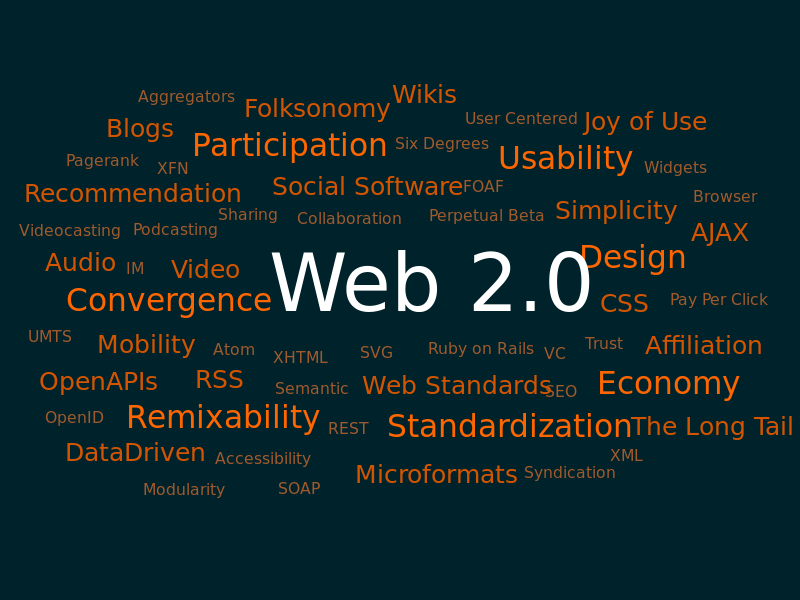
Some people have already started talking about "Web 3.0," but I think that's really overshooting the hype tolerance of most people. Let's just work on getting everybody using Web 2.0 first, shall we?
Tuesday, April 24, 2012
Heading for an "iDisorder"
Are you (or is somebody you know) addicted to your technology? Probably. This summary of Dr. Rosen's new book, iDisorder: Understanding Our Obsession with Technology and Overcoming Its Hold on Us, is a sobering analysis of the effect of technology on people's brains.
As parents, we want the best for our children. The people marketing technology to us know that, so they naturally appeal to our desire to provide the best by telling us that children need to learn how to use technology, or that technology is "educational."
While these claims may be true in some cases, we also need to realize that technology is powerful, and must be used carefully. We may be literally re-wiring the brains of our young children, contributing to ADHD, anxiety, and other psychological issues.
Like anything else, parents should set limits on the use of technology (and any other "screen time"), make clear expectations about when and how it should be used, and enforce certain restrictions to make sure children get enough exercise, rest, and face-to-face social interaction.
You can read the article here.
As parents, we want the best for our children. The people marketing technology to us know that, so they naturally appeal to our desire to provide the best by telling us that children need to learn how to use technology, or that technology is "educational."
While these claims may be true in some cases, we also need to realize that technology is powerful, and must be used carefully. We may be literally re-wiring the brains of our young children, contributing to ADHD, anxiety, and other psychological issues.
Like anything else, parents should set limits on the use of technology (and any other "screen time"), make clear expectations about when and how it should be used, and enforce certain restrictions to make sure children get enough exercise, rest, and face-to-face social interaction.
You can read the article here.
Subscribe to:
Posts (Atom)